
Google Antigravity
Antigravity has no list of ready-made connectors, so you add Reduck by editing a small config file yourself. It takes a few more clicks than Claude Desktop. The steps below cover the whole thing.
Before you start
You need a Reduck account, and a paired browser if you want scripts to run in your own Chrome. Both are in the quick start.
Add the server
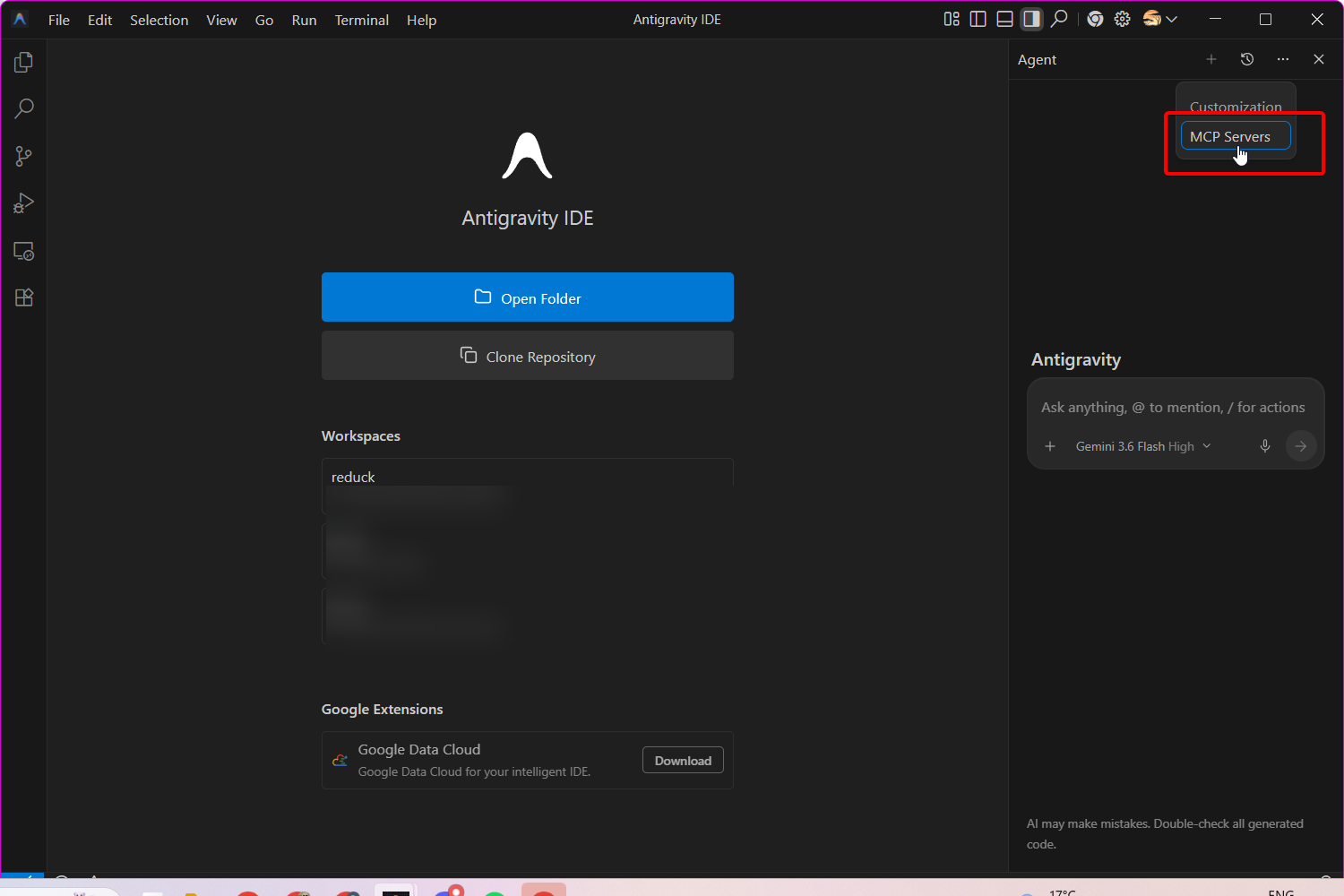
Click the top-right corner menu icon (…), then select MCP Servers.
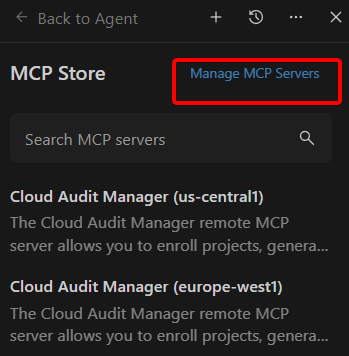
Click Manage MCP Servers.
Click View raw config.

Add the following to the file:
{
  "mcpServers": {
    "reduck": {
      "serverUrl": "https://mcp.reduck.ai/"
    }
  }
}
Save the file and return to MCP Servers to confirm reduck is listed.
Check that it worked
Open MCP Servers. reduck is listed and signed in, and its tools are now available to the
agent. Ask Antigravity to run whoami. It replies with the Reduck account you are signed in as,
which confirms the connection end to end.
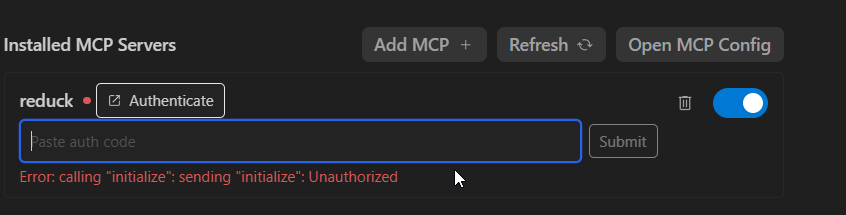
If reduck is not signed in, click Authenticate and finish signing in to your Reduck account
in the browser tab that opens.
Reduck finds a script for the site, runs it, and hands back the result. The script catalogue lists everything it can already do.