
Claude Desktop and web
Claude Desktop and Claude on the web share one set of connectors, so adding Reduck once covers both. The connector follows your Claude account, not the machine, so it is in the Claude app on a phone or a tablet too (Phone and tablet).
Before you start
You need a Reduck account, and a paired browser if you want scripts to run on your own Chrome. Both are in the quick start.
Add the connector
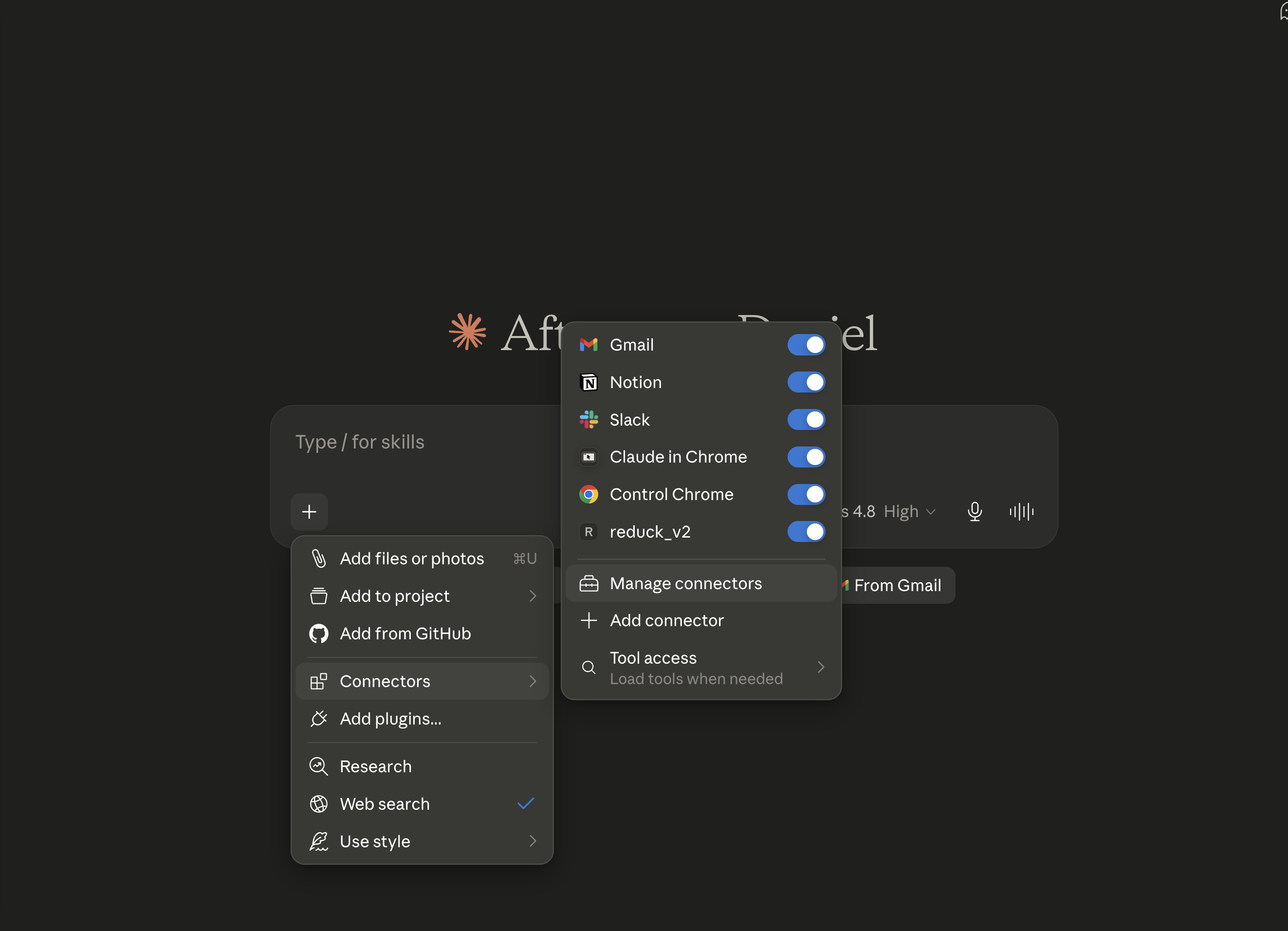
In a new chat, open + → Connectors → Manage connectors. On the web, this is the same list as Settings → Connectors.
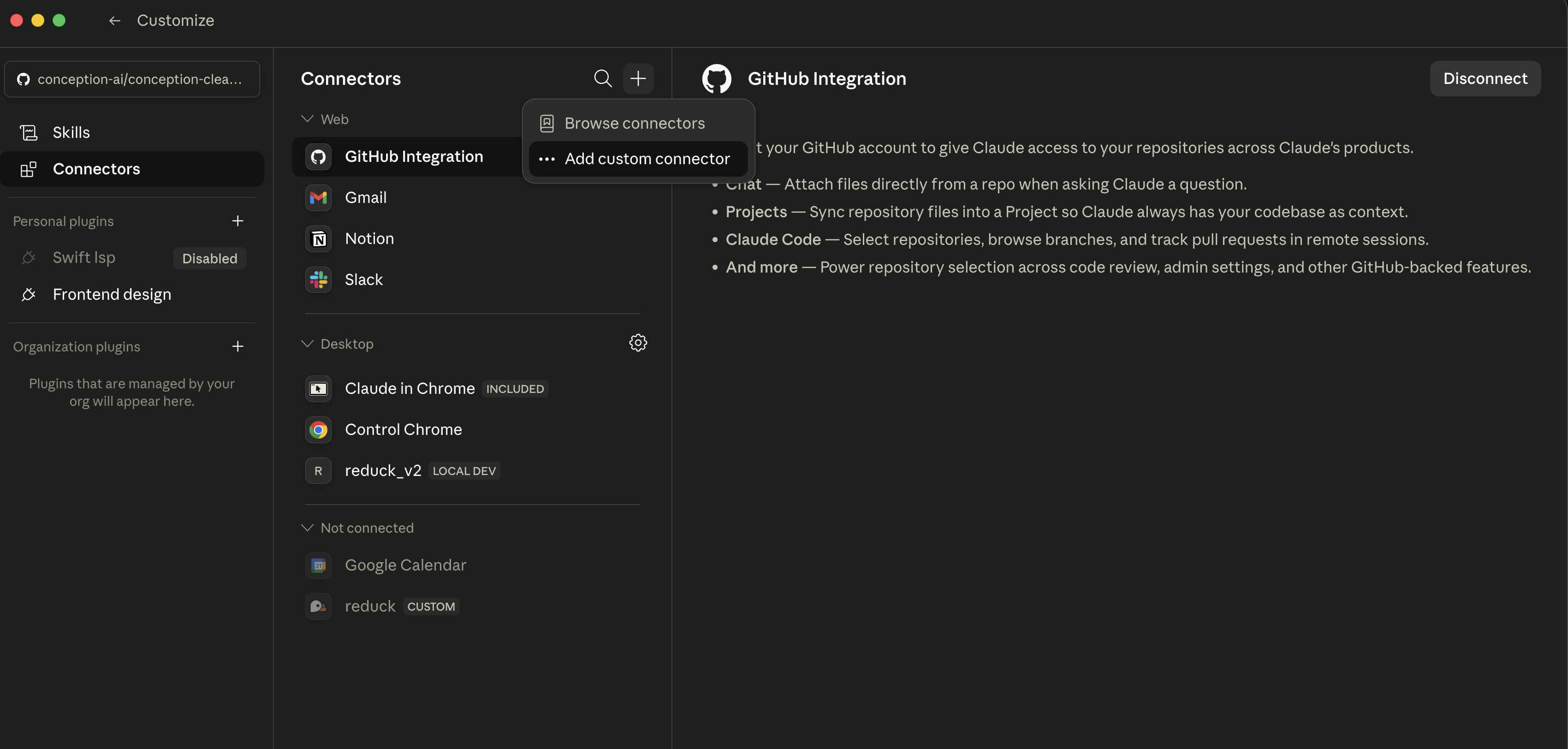
Click + (+ Add on the web), then Add custom connector.
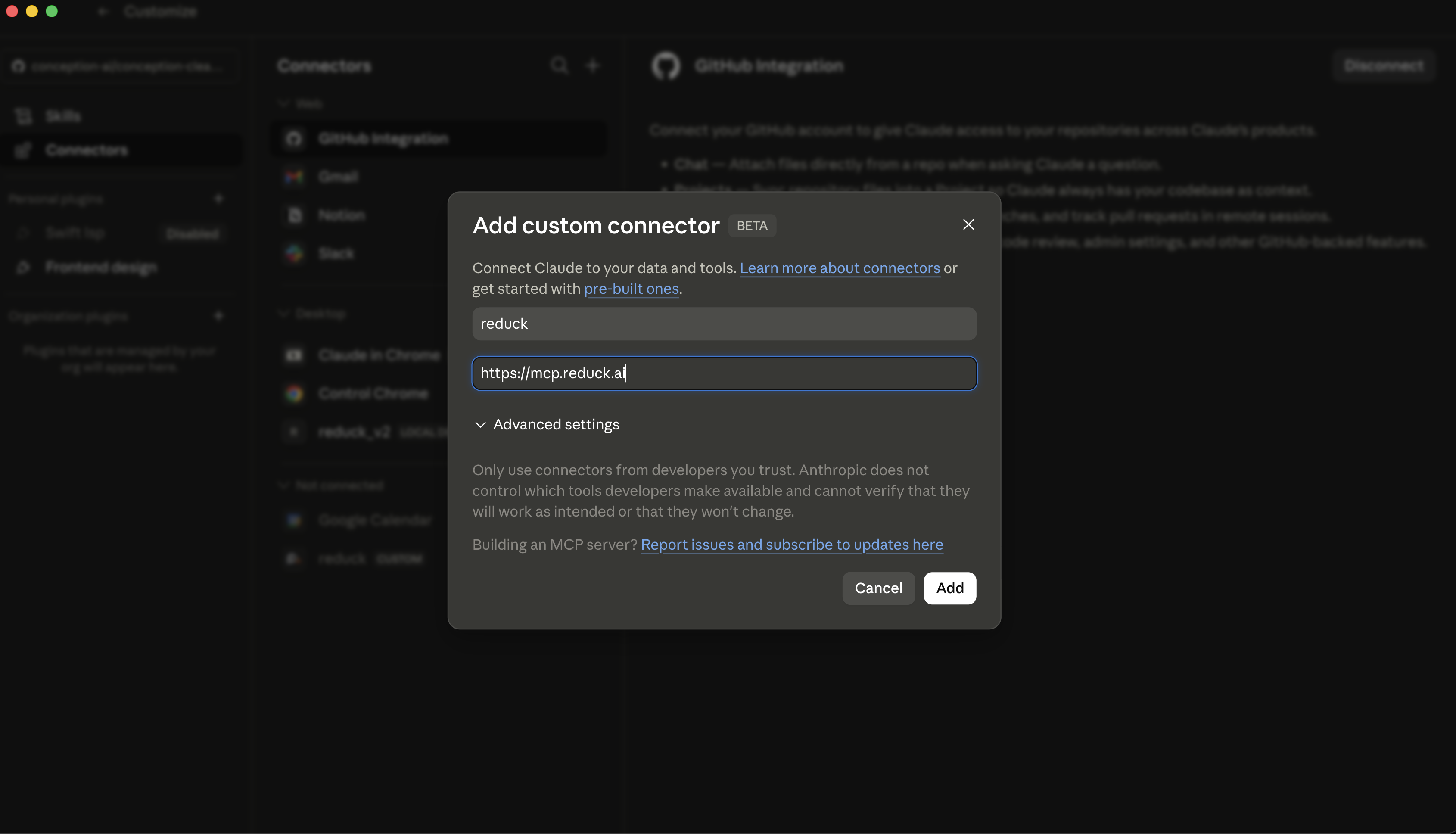
Set the name to reduck and the URL to https://mcp.reduck.ai, then save.
Restart Claude Desktop. Claude on the web picks the connector up on the next page load.
Confirm it is connected
Start a new chat and open + → Connectors. Reduck is listed, with its switch on. The first call opens a browser to sign in to your Reduck account.
If it does not appear
- Claude Desktop was not restarted. A running app does not pick up a new connector.
- The URL carries a path or a trailing segment. It is
https://mcp.reduck.aiand nothing more. - Sign-in never finished. The browser tab that opens on the first call has to be completed before any tool works.
Try it
Ask for something on a real site, and let the agent pick the script:
Reduck finds a script for the site, runs it, and hands back the result. The script catalogue lists everything it can already do.