
Phone and tablet
Reduck works from a phone or a tablet: you ask in the phone app of your agent, such as Claude or ChatGPT, and the scripts run in a Chrome paired with your account somewhere else. The phone or the tablet cannot run them itself, because the browsers of iOS, iPadOS and Android take no extensions (Supported browsers).
How it works
Two pieces, on two devices:
- The connector follows your account with the agent, not the device. Add it once, from your phone or from a computer, and it is in every app where you use that agent.
- The browser that runs the scripts is a Chrome paired with your Reduck account. A run wakes it and uses its sessions, so it has to be running, on a machine that is awake, and signed in to the sites you want to automate.
Add the connector
- Add Reduck to your agent on its website, from a computer or from the browser of your phone: Claude at claude.ai, ChatGPT at chatgpt.com (Connect your agent).
- Open the agent’s app on your phone or your tablet and start a new chat. Reduck is there: in
the Claude app, tap +, then Connectors.
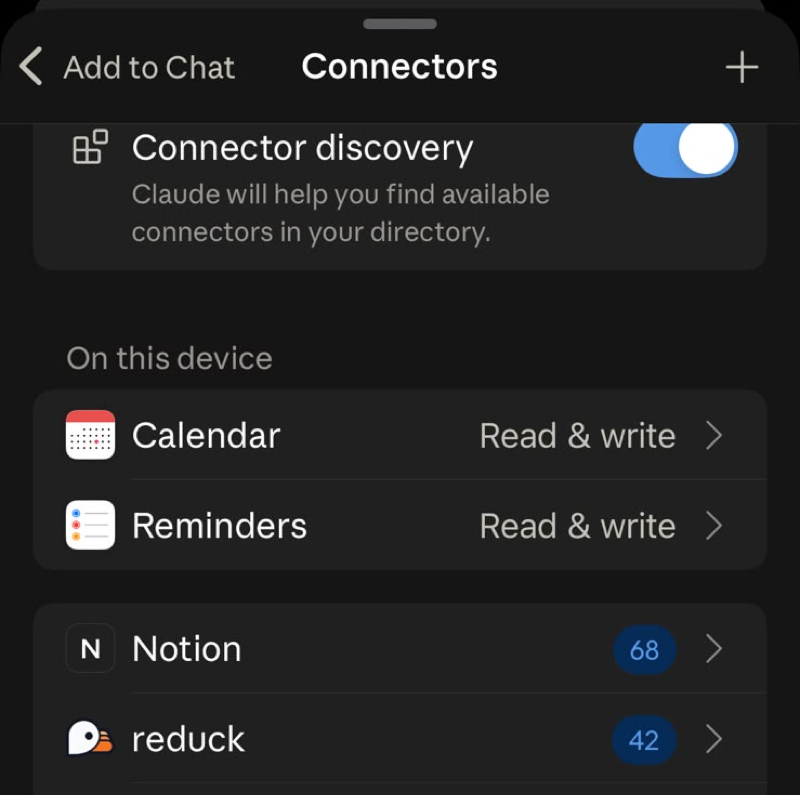
- Ask something only Reduck can answer, such as
list my paired devices.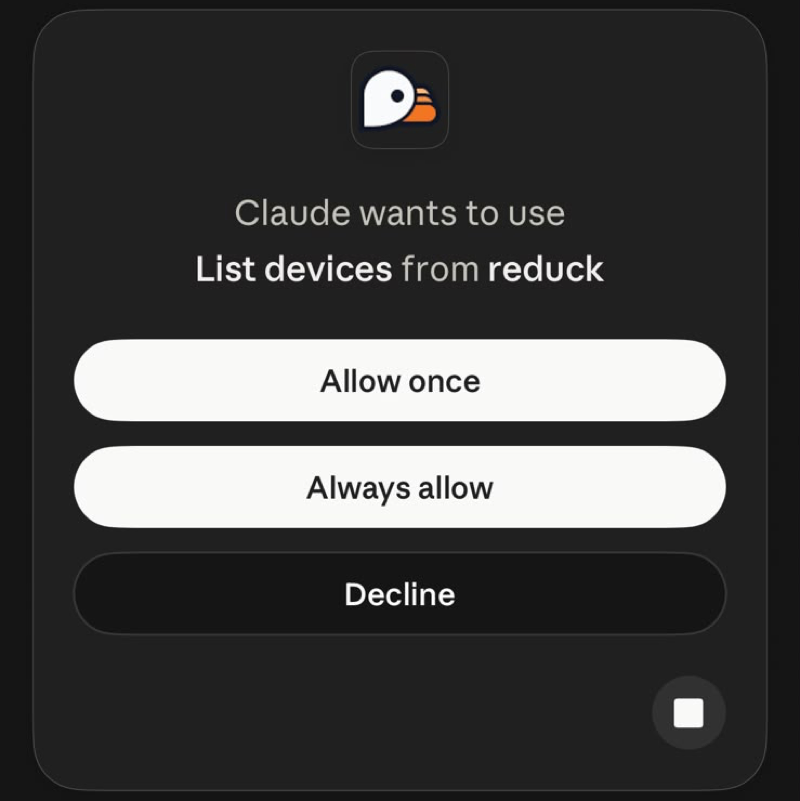
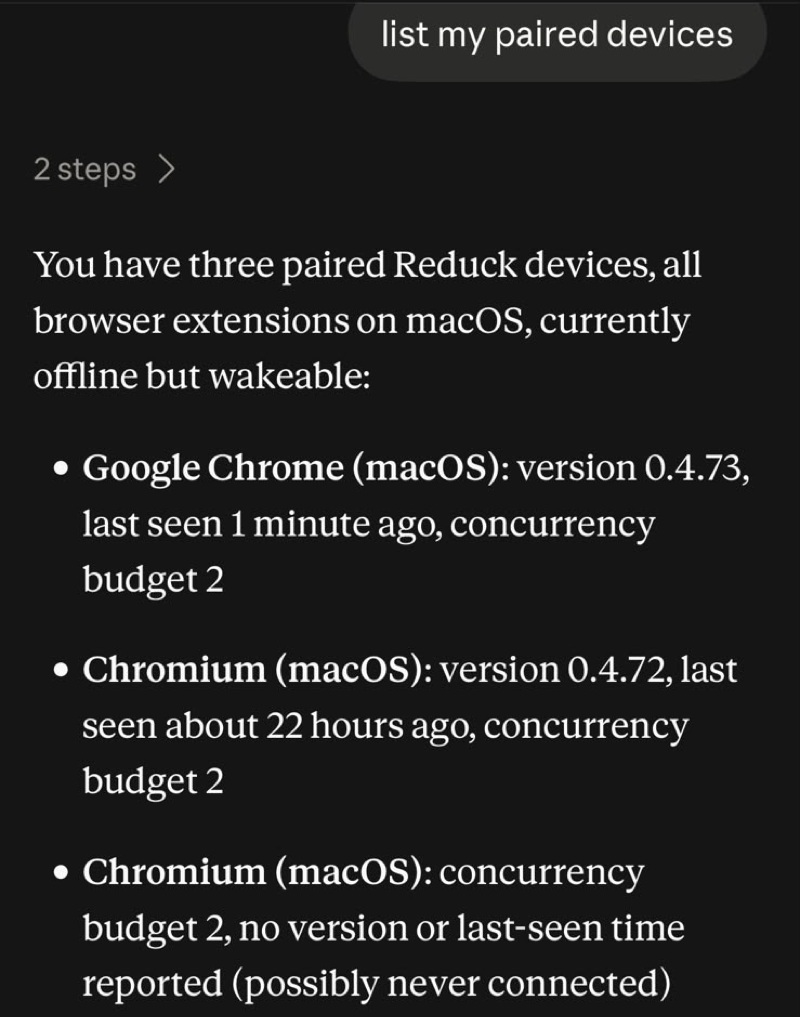
Then pick where the scripts run: the Chrome on your computer, or a machine that is always on.
Option 1: the Chrome on your computer
The simplest setup, and the right one if your computer stays at home or at the office.
- Install the Reduck extension in Chrome and pair it, as in the quick start.
- In that Chrome, sign in to the sites you want to automate: Reddit, LinkedIn, your CRM.
- Leave Chrome running, and set the computer not to sleep while it is plugged in.
Option 2: a machine that is always on
For when your computer travels with you: an old laptop or a desktop left at home, a Mac mini, or a desktop in the cloud. Any of them works as long as it runs Chrome in a real desktop session.
- Install Chrome and the Reduck extension on that machine. On Linux, Chrome has to run headful (Chrome on Linux).
- Open the extension’s side panel and click Pair manually. You do not need to sign in to
Reduck on that machine.
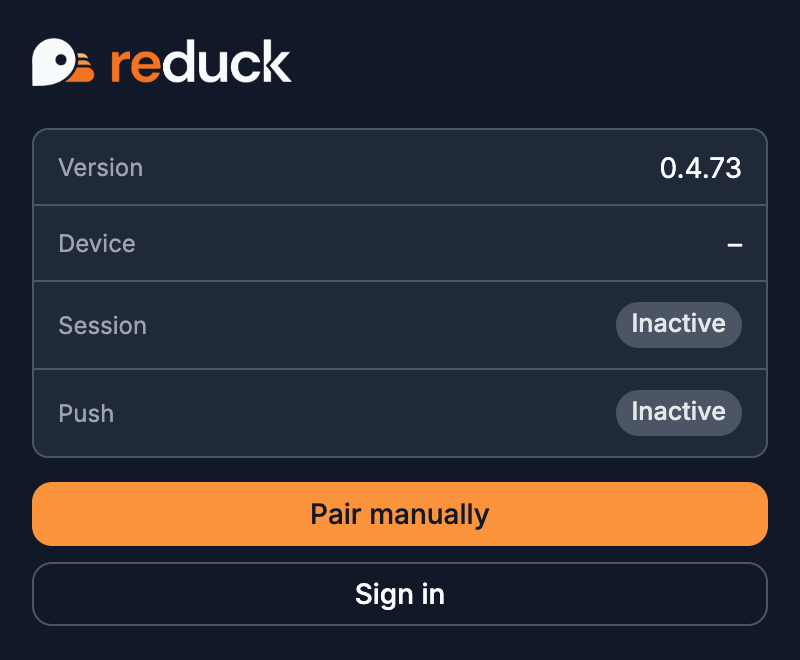
- The panel shows an 8-character code and waits for you to enter it.
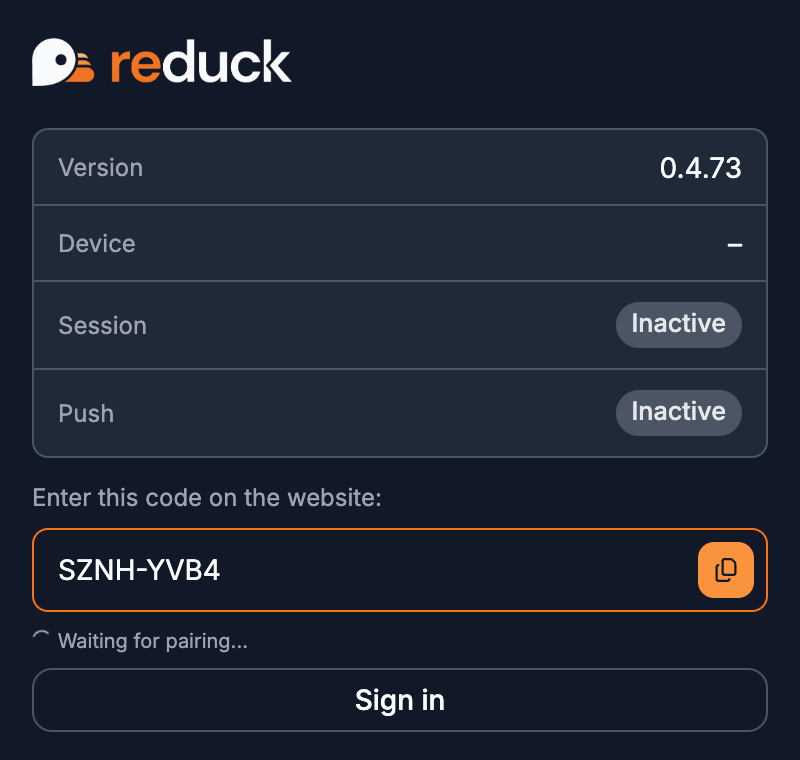
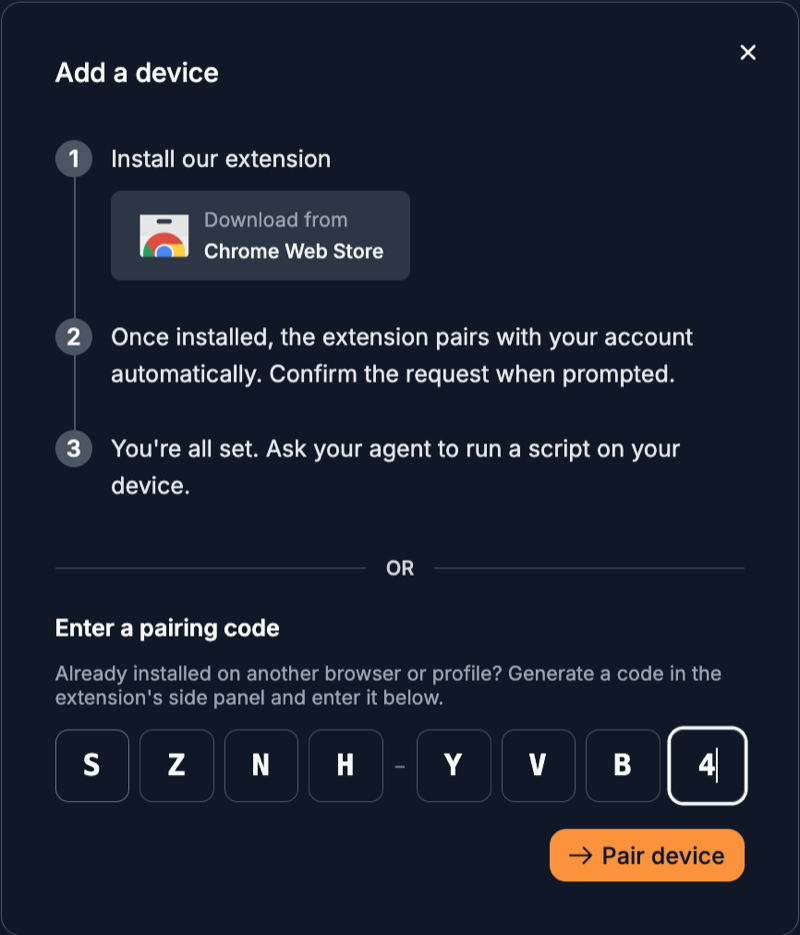
- On your phone, open reduck.ai/devices/pair, signed in to your
Reduck account, enter the code and click Pair device.
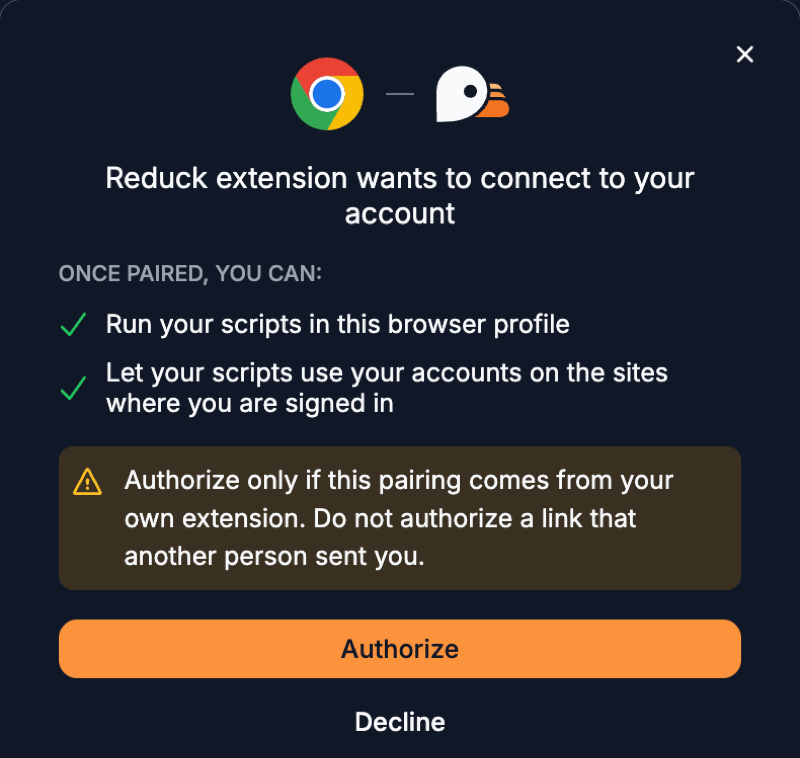
- Check the request and click Authorize. The code is valid for 15 minutes; past that,
generate a new one from the side panel. Once paired, the side panel shows the session as
Active.
- Sign in to the sites you want to automate in that Chrome, through a remote desktop app. Chrome Remote Desktop, for example, works from a phone or a tablet.
With more than one paired browser, list my paired devices shows each of them, and you can tell
the agent which one to run on.
If a run does not start
- The device is not reachable: Chrome was quit or the machine went to sleep. Open Chrome again, or wake the machine.
- The script says you are signed out: sign in to that site in the paired Chrome, not on your phone.
- The pairing code is refused: it is older than 15 minutes. Generate a new one.
- Brave answers no run at all: turn on push messaging (Brave).