
Core concepts
Scripts
The core unit on Reduck is a script: deterministic code that automates a flow on a browser.
Scripts can be discovered through the official library, run with MCP or the API, or built with our MCP.
Reduck offers two visibility levels for scripts:
- Public scripts can be discovered by the Reduck community and may eventually be featured in the official scripts library.
- Private scripts remain yours alone. To share them with your team, assign them to a project and grant your team access to that project.
A script is a line of versions. A draft is edited and tested, then promoted, and a promoted version never changes, so an argument that worked last week works today.
Every script is a module. Its default export is a function that receives builtins, page,
args, files and ai as one object, and what it returns is the result. A script can be written in
JavaScript or in TypeScript. A new script starts in TypeScript, and a new version keeps the language
of the version it comes from. Reduck removes the types when the script runs, so only syntax that
can be removed is allowed: no enum and no namespace.
export default async ({ page, builtins, args }) => {
    await builtins.goto("https://example.com");
    return { title: await page.title() };
};
The exec_code and exec_trace tools take code in the same form. They refuse code with no default
export, before anything runs.
Handles
Every script belongs to an owner identified by a handle. When your agent calls list_scripts,
passing a handle scopes the results to that owner’s public scripts. Optional owner scope: @user
(with @) for a user, or a project handle (without @), e.g. reduck for the official
catalogue. Omit for a cross-owner search.
Official scripts library
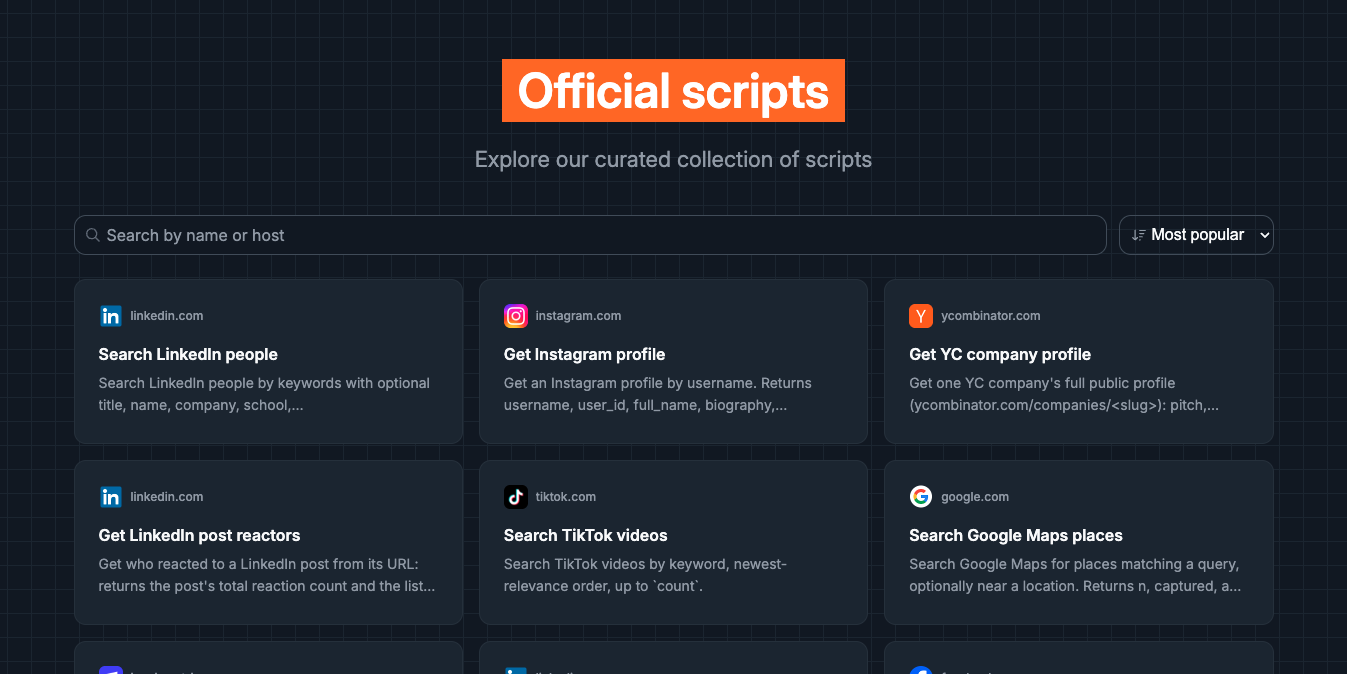
Reduck’s team maintains an official library of scripts on the most common websites (LinkedIn, Airbnb, Instagram, etc.) that you can find at reduck.ai/explore.
Your agent discovers them by calling list_scripts with the handle "reduck".
Projects
You can create your own custom scripts that end up in a project: a private workspace for
scripts you build yourself, as opposed to the official scripts library maintained by Reduck’s team.
A project is also a handle. Pass it to list_scripts to see that project’s scripts.
Projects let you automate flows specific to your own stack that you want to share with your team without exposing them to the broader Reduck community.
- Create a project at reduck.ai/projects/create.
- Assign scripts to a project: either ask your agent to assign it during creation, or move an existing script afterward from your script list into the project and set its visibility to team-only.
Browser
Reduck runs automation scripts using two main modes:
- Default: Bring your own browser (BYOB). Browser automation happens on your browser through the Reduck extension. The automation automatically inherits your browser state, e.g. which site you are logged in, browser fingerprints for stealth, etc. but requires your browser to be open. See Stealth and logged-in sessions. Each browser you pair is a device with its own id: pair several, and a run can name which one. See Supported browsers for each browser’s setup.
- Managed browser. Browser automation happens on Reduck managed Cloud so that you can run automations 24/7 without having to have your browser accessible and can scale better than your machine. Managed browser is subject to a different pricing (more expensive) than BYOB (see our Pricing page for more info).
When to use which:
| Bring your own browser | Managed browser | |
|---|---|---|
| Volume | Under ~100 script runs per hour | Deployment at scale |
| Cost | Cheaper | More expensive |
| Credentials | Never leave your browser | Script signs itself in, or a connector |
| Availability | Needs your browser open | 24/7 |
| Network | Your connection | Datacenter, or a residential proxy per country |
A run on your own Chrome spends one run from your plan; a managed run also spends browser time. Plans and limits are on the pricing page.
Parallel runs
One execution of one script on one browser is a run. It gets an id, and that id is how you read back the result, the error, or the step-by-step trace with screenshots.
Pass a list of scripts instead of one and they run at the same time, a browser each, up to 20 in a single call. They share nothing, one failing does not stop the others, and you get one outcome per script.
Each device runs 4 scripts at a time by default. Ask for more and the rest queue and start as
slots free up: a run sitting in queued is waiting its turn, not failing. Raise or lower the number
per device at reduck.ai/devices.