
Cursor
Cursor keeps its MCP servers in a JSON file. There is nothing to install: add the file, then approve Reduck once inside Cursor.
Before you start
You need a Reduck account, and a paired browser if you want scripts to run in your own Chrome. Both are in the quick start.
Add the server
Put this in ~/.cursor/mcp.json to use Reduck in every project:
{
  "mcpServers": {
    "reduck": {
      "url": "https://mcp.reduck.ai"
    }
  }
}
To use it in one project only, put the same thing in .cursor/mcp.json in that project’s folder.
That is the whole entry. You do not need a client ID, a secret, or a list of permissions. Reduck sets all that up itself the first time Cursor connects.
Approve it
Open Customize in Cursor’s sidebar and choose MCPs. Reduck appears under Needs Attention, marked Needs authentication. Click Authenticate and approve it in the browser tab that opens.
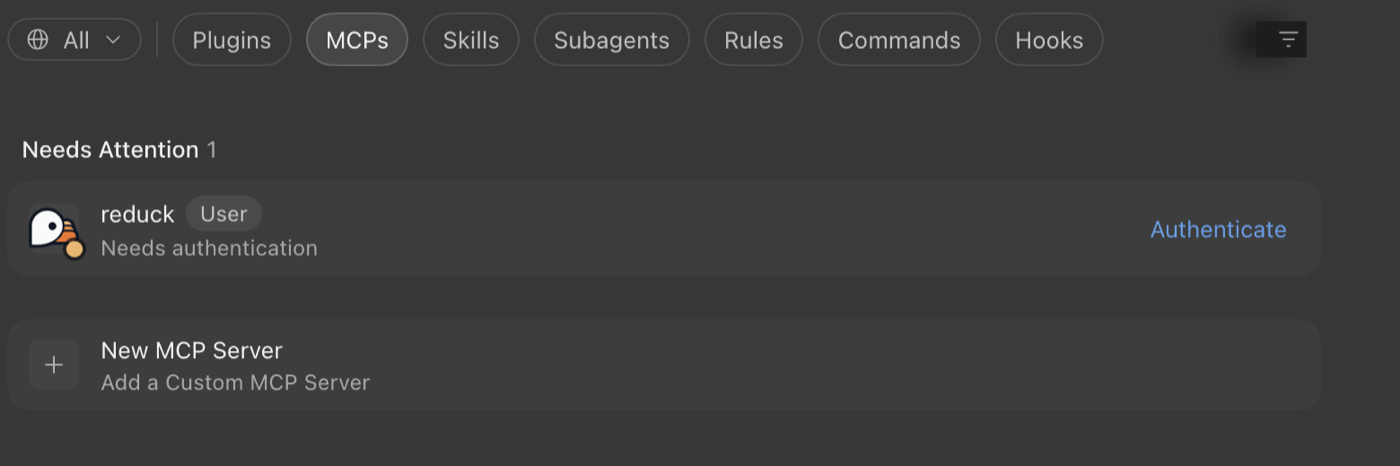
Until you do, Reduck shows no tools. That looks like a broken setup, but it is not. It simply has not been approved yet.
Check that it worked
Reduck moves to Connected and shows how many tools it has.
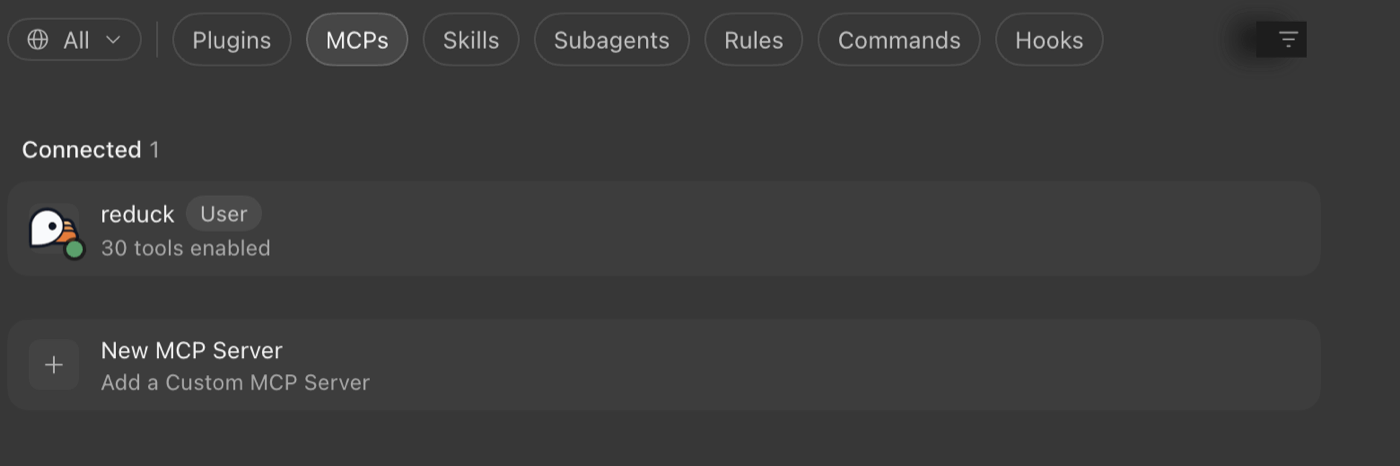
Then ask Cursor in a chat to run whoami. It tells you which Reduck account you are signed in as.
That is worth checking, because signing in uses whichever Reduck account your browser is already
logged into. If you have more than one, it may not be the one you meant.
When there is no browser
Some setups have no browser to sign in with, such as Cloud Agents or a CI server. Use an API key there instead:
{
  "mcpServers": {
    "reduck": {
      "url": "https://mcp.reduck.ai",
      "headers": {
        "X-API-Key": "${env:REDUCK_API_KEY}"
      }
    }
  }
}
${env:REDUCK_API_KEY} reads the key from your environment, so the key itself never sits in the
file. Set it in your shell profile: Cursor’s envFile setting does not apply to servers like this
one.
Try it
Ask for something on a real site, and let the agent pick the script:
Reduck finds a script for the site, runs it, and hands back the result. The script catalogue lists everything it can already do.